CYCLES OF LEARNING
  • BLOG
  • TED
  • BOOK
  • TEACHING
  • PROJECTS
  • CONSULTING
  • CONTACT

When curiosity is sparked...

deep cycles of learning can occur.

Pseudoservice and the Shift Toward Real Impact

9/22/2025

 
For years, my Design for Social Good class has focused on building assistive technology devices, specifically computer switches for people with disabilities such as quadriplegia, cerebral palsy, and spinal cord injuries. These projects have been meaningful for students, giving them the chance to learn CAD, 3D modeling, 3D printing, soldering, circuit board development, and coding. They have also helped students think about how design intersects with real human needs.

Much of our earlier work centered on creating instructions and publishing them online. For example, our work with Makey Makey was featured here. Students also published guides on Instructables that allowed caregivers and teachers to build simple switches. And for those ready to go beyond Makey Makey, we have an archive of Arduino Leonardo hub systems here.

​These projects were important, but they often stopped short of true service. Students were convinced they were helping by making instructions, but in reality they were not directly interfacing with the people who rely on these devices. Pairing students with individual users has not been sustainable either, since it depends on me connecting them to someone.

This year we are moving in a new direction. Instead of limiting ourselves to pseudodesign service, we are partnering with Makers Making Change. Through this organization, students can publish their switch designs to a community where real users can request devices. Makers are then paired with those requests. This adds a direct service element to our curriculum and allows students to see their work move from idea, to prototype, to something used by a person who needs it.

The concept of a switch may seem simple, but designing one that is user-friendly, durable, and creative opens the door to complex learning. Students practice soldering, electronics, coding, and design thinking while also considering the medical and human applications of engineering. From air pressure systems to joystick capacity, small design choices lead to big creative outcomes.
​
You can follow our past and current work through this link collection. It includes our websites, Instructables, and now our contributions to Makers Making Change. For a behind-the-scenes look at how ideas take shape in the classroom, you can browse our Google Photos album, which shows the iteration process in real time.The hope is that by building for real users, students will see their design work not only as practice, but as direct contribution.I’m always amazed by my students’ creativity.

​The image below shows a DIY "Sip-and-Puff" controller they built with custom 3D-printed parts and a MakeyMakey. Expect more posts on this project as we continue through the semester. I highly recommend introducing your STEM students to adaptive controllers and assistive technology in general. It’s rewarding work and such a natural way to put purposeful design into action.
Picture

Simulating Parkinson's: Using Electronics to Build Empathy

3/13/2024

 
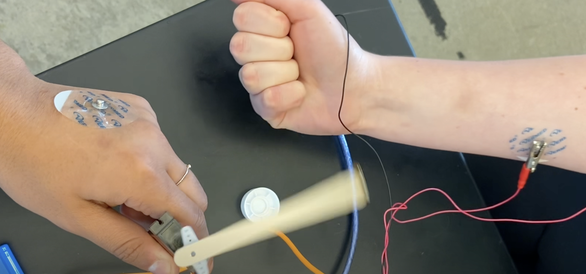
​This lab activity takes students on a unique journey through the world of neuroscience and engineering to explore the complex nature of Parkinson's Disease. Students will simulate the motor symptoms of Parkinson's Disease firsthand by experiencing disruptions in motor control aimed to foster empathy for those living with the condition. Integrating biochemistry, neuroscience, and engineering principles, this lesson is a powerful tool for inspiring the next generation of scientists and empathetic individuals. 
Click here for access to all lesson resources. 
Picture

Empowering the Visually Impaired: Innovations with Arduino Uno in Assistive Technology

1/9/2024


Summary

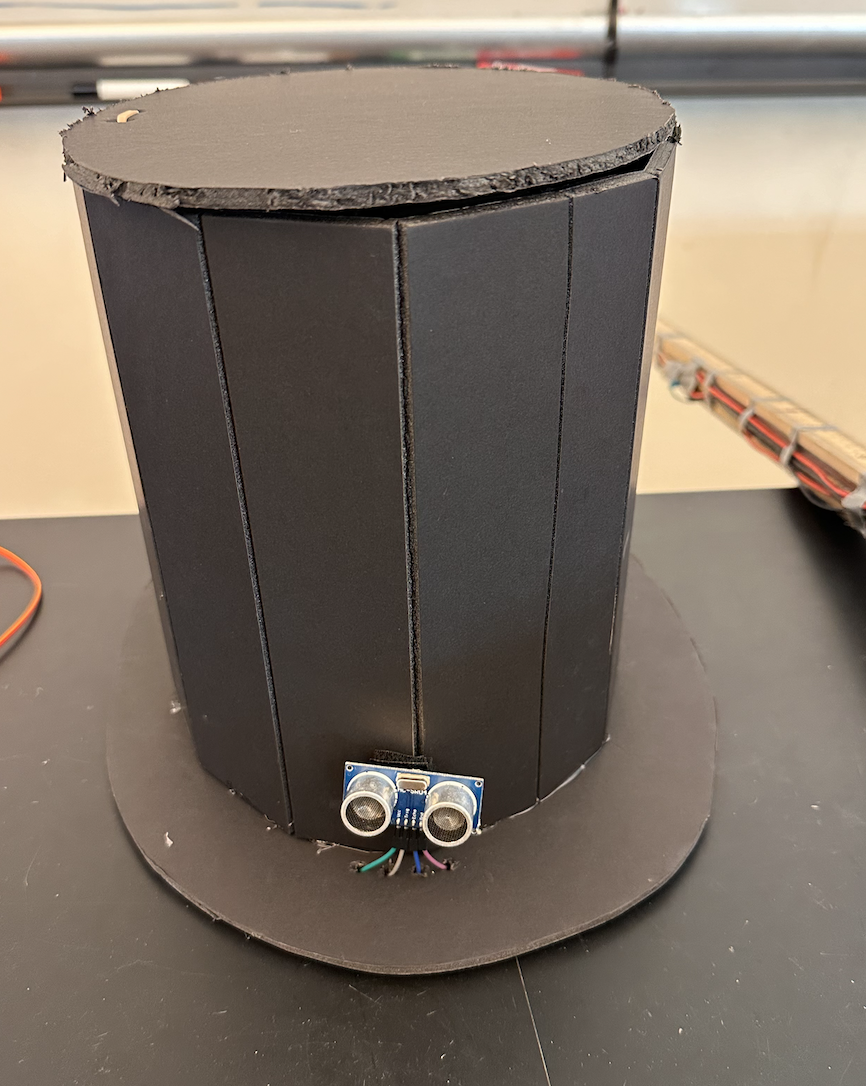
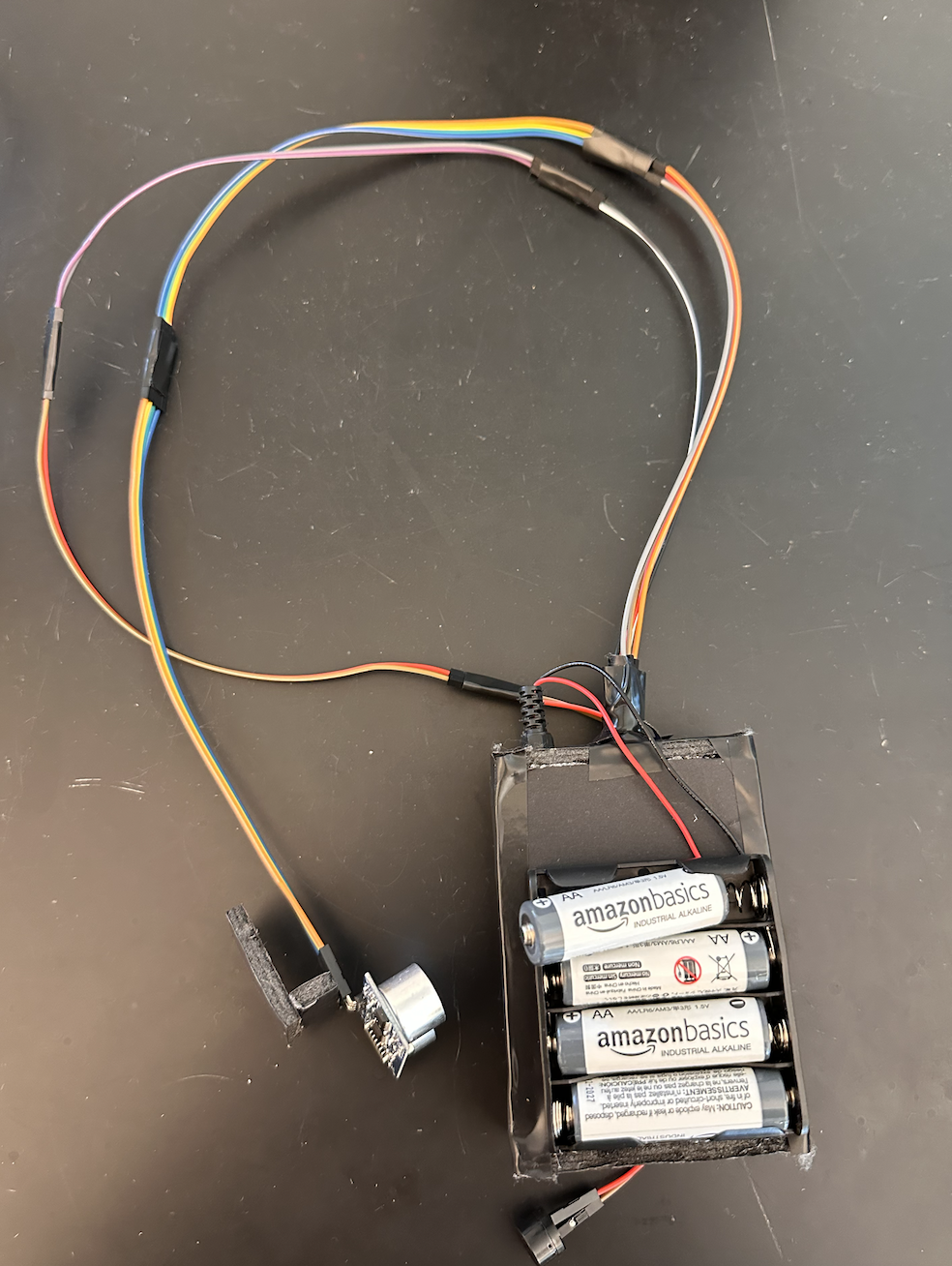
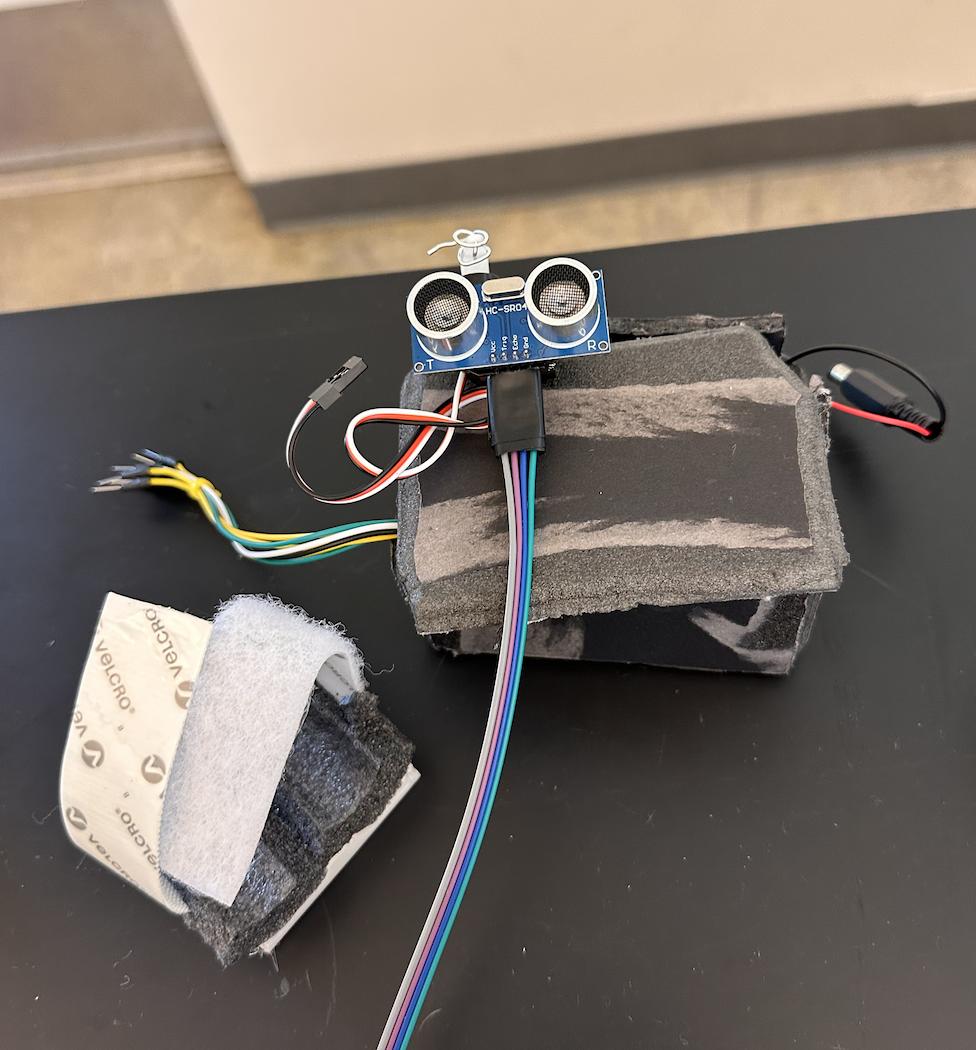
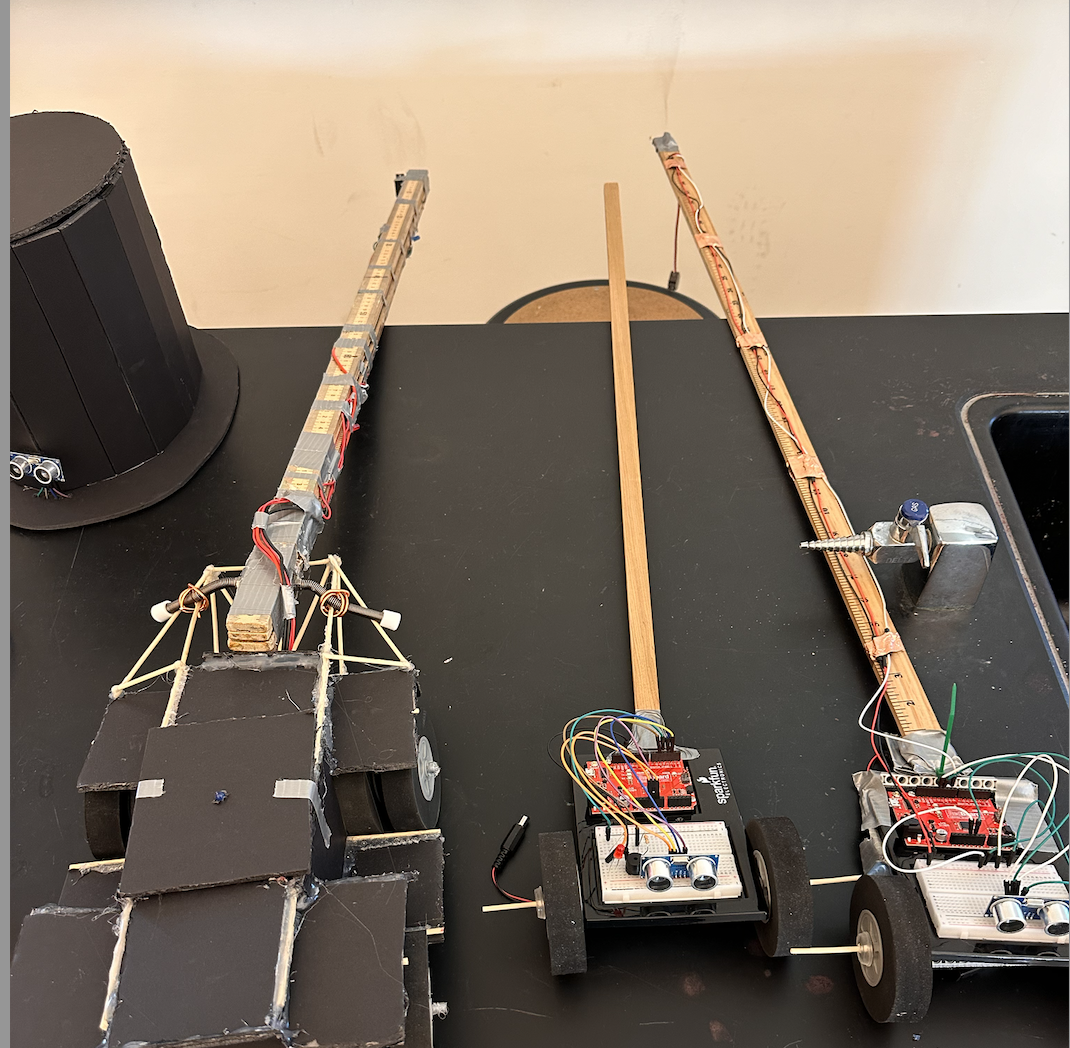
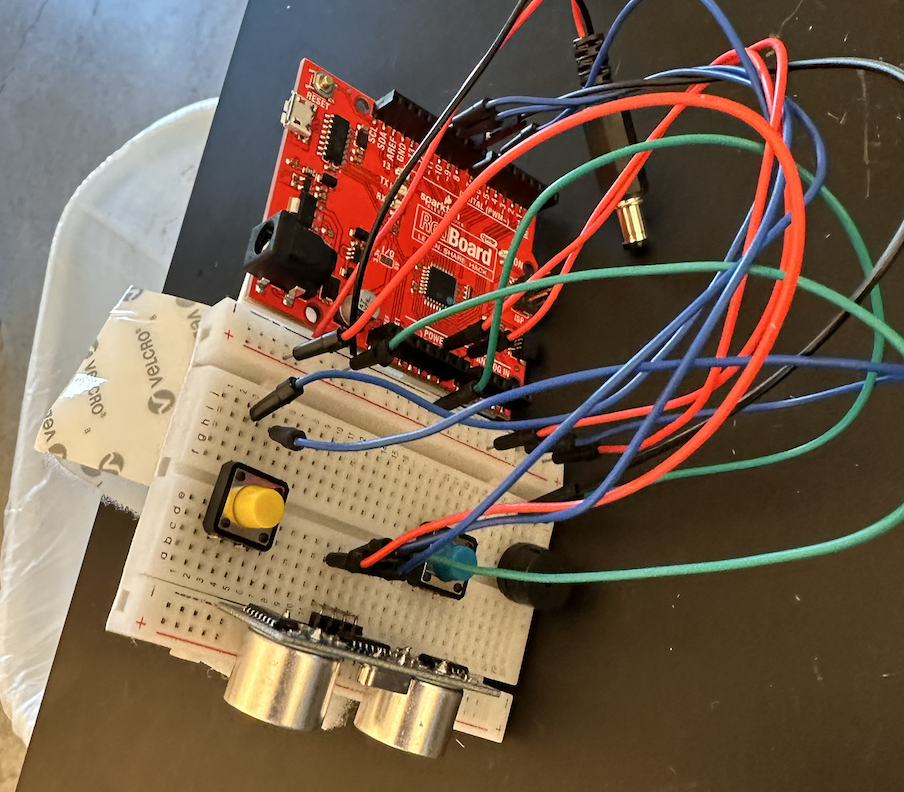
My high school students are creating assistive devices for visually impaired individuals using the Arduino Uno platform. This project focuses on developing innovative digital mobility aids, utilizing ultrasonic sensors and small servo motors. These aids are designed to enhance spatial awareness for visually impaired users through sound and tactile feedback, alerting them to nearby objects. I am hopeful that this initiative provides practical, real-world applications of technology but also attempts instills a deep sense of empathy and innovation in my students.

Procedure 

  1. Kit Distribution: Students were given the SparkFun Inventor's Kit and an associated guide, challenging them to complete five distinct challenges. For product information, click here Access the digital "workbook" I provided for coding information and accountability tracking here.
  2. Design Prompt: Students received the following task: "Using your SparkFun Inventor’s Kit, along with any additional materials (extra electronics, structural components, 3D printing, etc.), design a mobility aid for someone who is blind."
  3. Initial Coding and Circuit Design: The first step involved using ChatGPT to generate potential codes and wiring instructions. The aim was to create basic circuits capable of moving a servo motor and sounding a buzzer when an object is detected 6 inches away. The specific prompt used was: "Provide code and a detailed wiring diagram for an Arduino UNO to sound a buzzer and move a servo motor when an object comes within 6 inches, using an ultrasonic sensor."
  4. Prototype Development: Students then built and modified their circuits and codes, creating structures to support their mobility aids, such as earpieces and canes.
  5. Prototype Testing and Feedback: Students tested each other's prototypes by navigating a simple maze. This allowed them to provide constructive feedback. To see a video of a prototype in action, click here (scroll to second video in post). Note: In this prototype, the servo motor alerts the user to obstacles through touch, while the buzzer does so through sound.

Robotics for Social Good: "Bomb Squad" Simulation

12/11/2023

 
In our Design for Social Good class, students were given a final project challenge: to apply their CAD, electronics, and Robotics skills to simulate robotics' applications in military and law enforcement. Our specific task was to create a user-friendly CAD-designed controller housing an Arduino Leonardo. This controller could remotely operate a robot, simulating the disarmament of a hypothetical explosive. Students controlled their robots from a different location by using their phones as cameras, which were mounted on the robots. They streamed video to their control station through platforms like Zoom or FaceTime. To understand the project instructions and grading criteria, click here. For documentation, students recorded their streamed video and added voice-over narration to explain the process. Below is an example:

Design for Social Good Curriculum

7/11/2023

 
This will be my third year teaching an elective course called "Design for Social Good". This summer I assigned myself the task of creating the entire curriculum in the form of a student digital workbook. The curriculum uses Fusion360 as an anchor, integrating CAD into various projects centered around Assistive Technology, Medicine, and Robotics. Additionally, I tired to integrate AI into the curriculum in meaningful ways, asking students to generate YouTube shorts using ChatGPT and Pictory I am hopeful that this curriculum provides a unified and organized space for students to engage in the curriculum. Because students will be copying and sharing their own workbooks, I am slightly nervous about how to push out to students the inevitable tweaks to the curriculum I will make throughout the year. Live and learn I suppose! Click here to access the curriculum. Note: Links to Fusion360 homework assignments can be found in the heading of each page. 
<<Previous
    Picture
    Ramsey Musallam is a full-time science teacher in Santa Rosa California.
    Starter Pack

    RSS Feed

    Categories

    All
    3-Bullet Thursdays
    5E
    5E/Hero's Journey
    Addiction
    AI
    Apple Tv
    Arduino
    Assessment
    Assistive Technology
    Biochemistry
    Biology
    CAD
    ChatGPT
    Chemistry
    Clips
    Coding
    Cognition
    Commencement
    Commentary
    Computer Science
    Consulting
    Courses
    COVID 19
    COVID-19
    Curiosity
    Curriculum
    Design
    Distance Learning
    Engineering
    Feynman
    Flipped Learning
    Friday 5
    Game Design
    Games
    Google
    Hack Series
    Hands On
    Hands-On
    Hero's Journey
    Homework
    Inquiry
    Invention
    Itm
    Lecture
    Maker
    Masterclass
    Megacognition
    Misc.
    Models
    Movies
    Neuroscience
    Online Teaching
    Opioid Crisis
    PBL
    Pd
    Pedagogy
    Physics
    Podcast
    Presentation
    Presentations
    Products
    Programming
    Public
    Reflection
    Research
    Robotics
    Rubrics
    Science Camp
    Simulations
    Slides
    Social Good
    STEM
    Store
    Technology
    Tutorials
    Videos
    What If
    Workshop Materials
    Zoom

    Archives

    November 2025
    October 2025
    September 2025
    October 2024
    September 2024
    August 2024
    March 2024
    February 2024
    January 2024
    December 2023
    July 2023
    May 2023
    April 2023
    February 2023
    January 2023
    March 2022
    January 2022
    August 2021
    June 2021
    March 2021
    February 2021
    December 2020
    October 2020
    September 2020
    August 2020
    July 2020
    June 2020
    May 2020
    April 2020
    March 2020
    February 2020
    January 2020
    December 2019
    November 2019
    October 2019
    September 2019
    August 2019
    July 2019
    March 2019
    February 2019
    January 2019
    December 2018
    November 2018
    October 2018
    September 2018
    August 2018
    July 2018
    June 2018
    May 2018
    March 2018
    February 2018
    January 2018
    December 2017
    September 2017
    August 2017
    July 2017
    June 2017
    February 2017
    January 2017
    October 2016
    September 2016
    July 2016
    June 2016
    April 2016
    March 2016
    October 2015
    September 2015
    July 2015
    June 2015
    May 2015
    April 2015
    March 2015
    October 2014
    August 2014
    July 2014
    June 2014
    May 2014
    April 2014
    January 2014
    November 2013
    September 2013
    August 2013
    July 2013
    June 2013
    May 2013
    March 2013
    February 2013
    January 2013
    December 2012
    November 2012
    October 2012
    September 2012
    August 2012
    July 2012
    June 2012
    April 2012
    March 2012
    February 2012
    January 2012
    December 2011
    November 2011
    October 2011
    September 2011
    July 2011
    November 2010

  • BLOG
  • TED
  • BOOK
  • TEACHING
  • PROJECTS
  • CONSULTING
  • CONTACT